The feed never ends. Lumen's light does.
Another video, another refresh. An hour goes and nothing is left to show for it. Lumen feels it too.
Your rules. You pick the apps and the time, Lumen glows for every minute you stay off, and the receipt proves you kept them.
FreeNo accountEverything on your phone
Another video, another refresh. An hour goes and nothing is left to show for it. Lumen feels it too.
Thirty, sixty, ninety or a hundred and twenty minutes. Pick what you are doing and put the phone down. Everything else keeps working.
Counted from the session itself, never guessed. Lumen glows brighter as the minutes add up, and you keep what you earn.
No setup maze. You choose the apps, you choose the time, and Breakdoom keeps count.
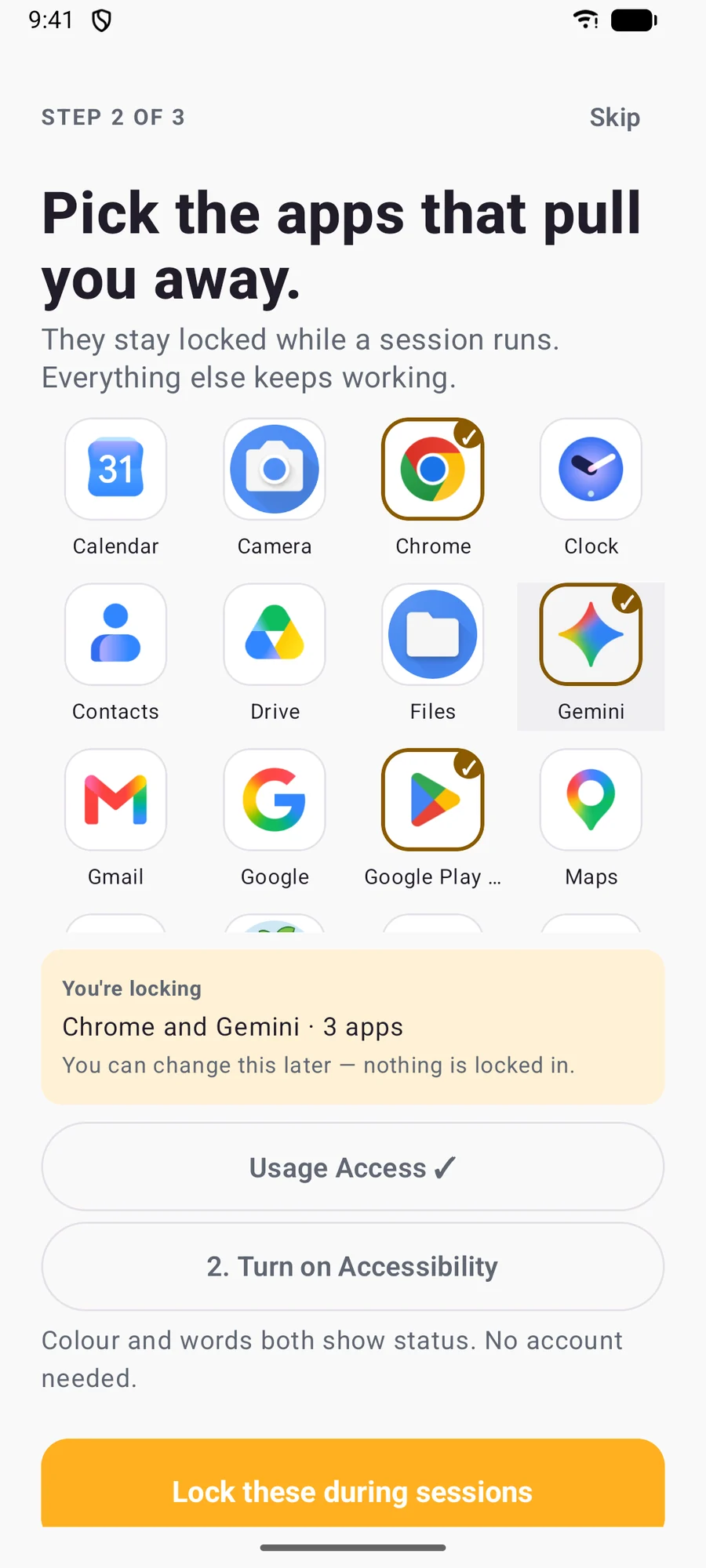
Nothing is blocked by default. Choose the ones you lose evenings to, and change them any time.
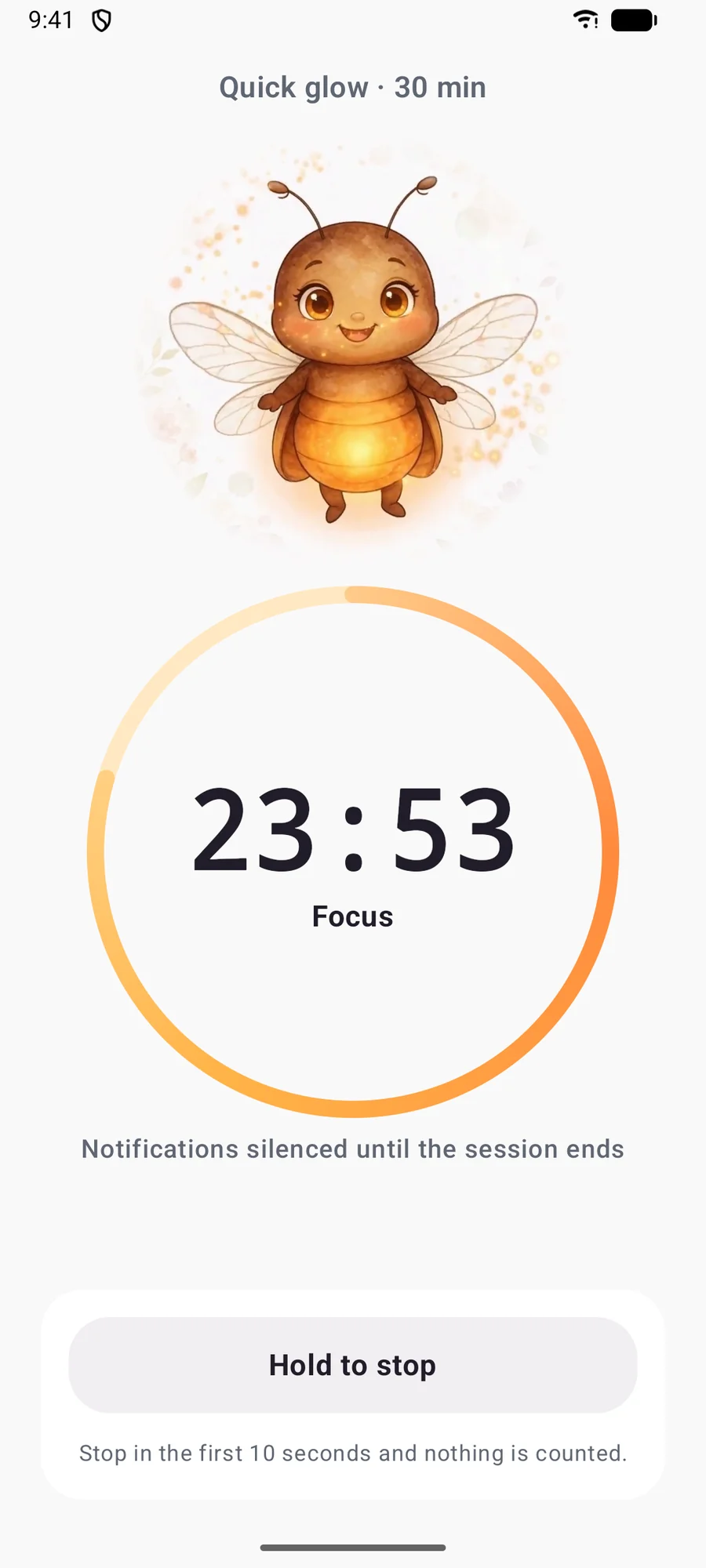
Lumen keeps you company while the timer runs, and notifications go quiet until you are done. Hold to stop when you mean it; the first ten seconds never count.
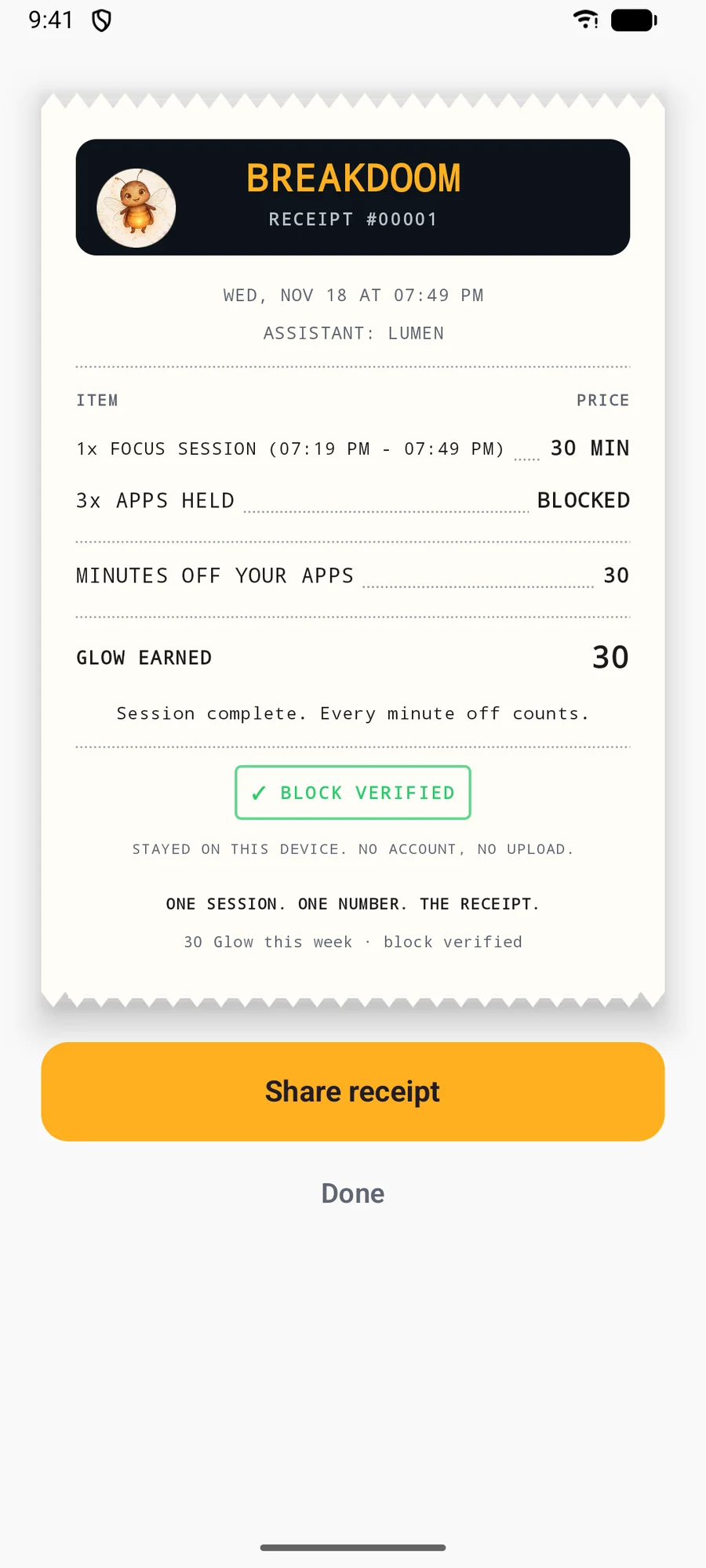
Minutes off your apps, open attempts blocked, Glow earned. Proof you kept the rules you set.
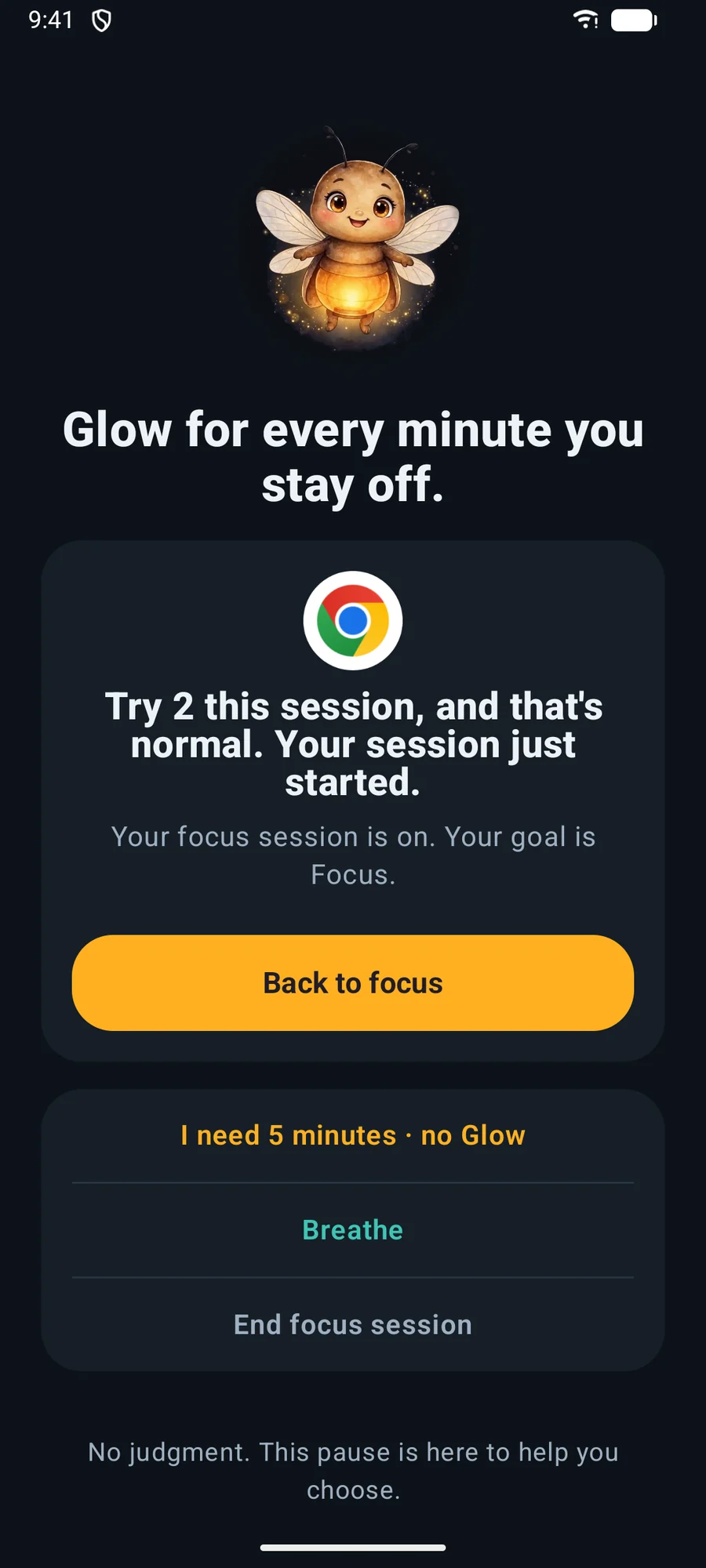
Open a blocked app mid-session and Lumen shows up instead, with a count of how many times you have tried. No scolding. You choose what happens next.
Your balance is what you earned minus what you spent. That is the whole system.
Counted from the session itself. Minutes inside an unlock are taken out, so they never earn.
In a Normal session, an unlock costs 5 Glow when you really need a moment in a blocked app.
No streak to lose and no guilt if a day goes sideways. Tomorrow starts at the next session.
Unlocks are there if you need them, and you can hold to stop. Stopping in the first 10 seconds simply cancels.
For the night before the test. No unlocks and no ending early, so the block stays up until the timer is done. Your call, every time you start.
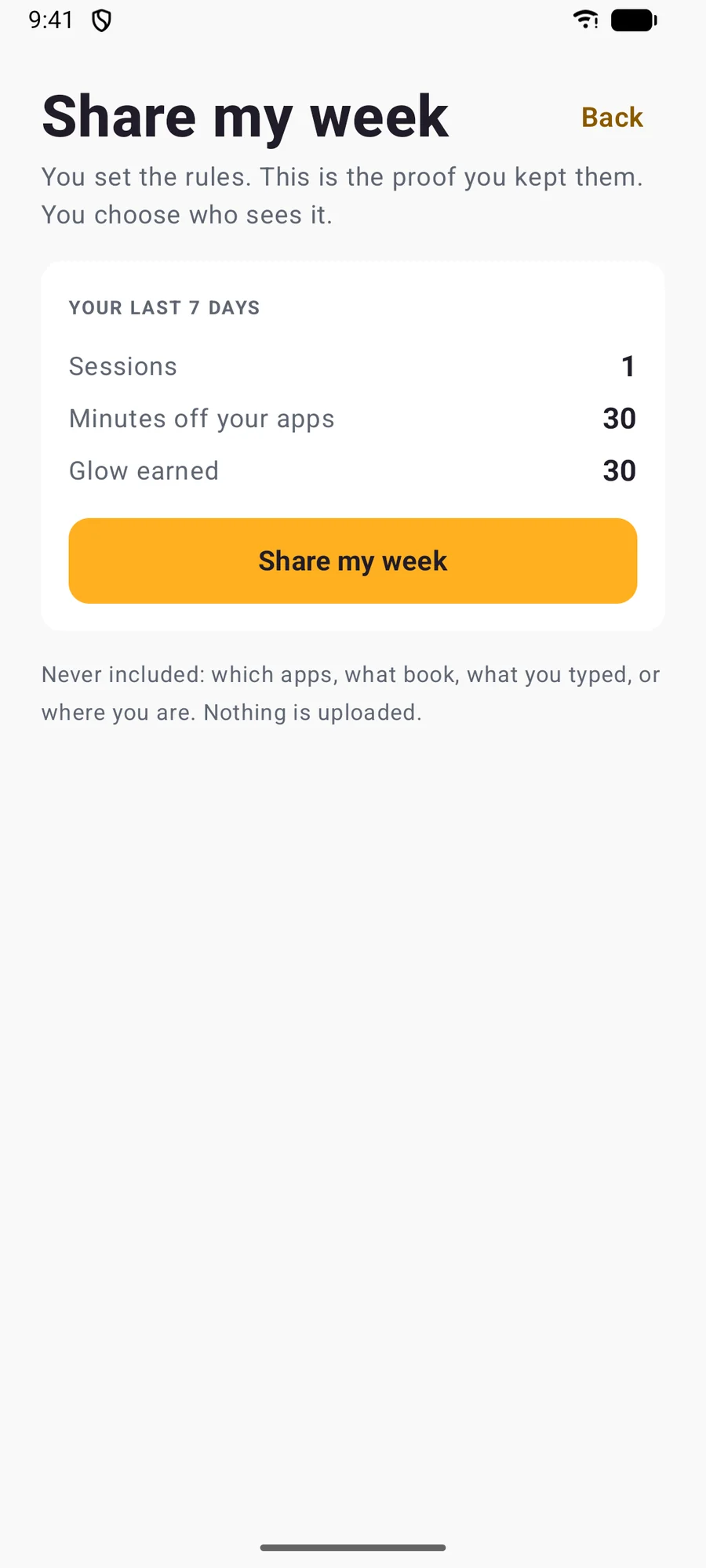
Every session ends with a receipt. Once a week, Share my week turns the last seven days into one image you can send to anyone, only when you choose.
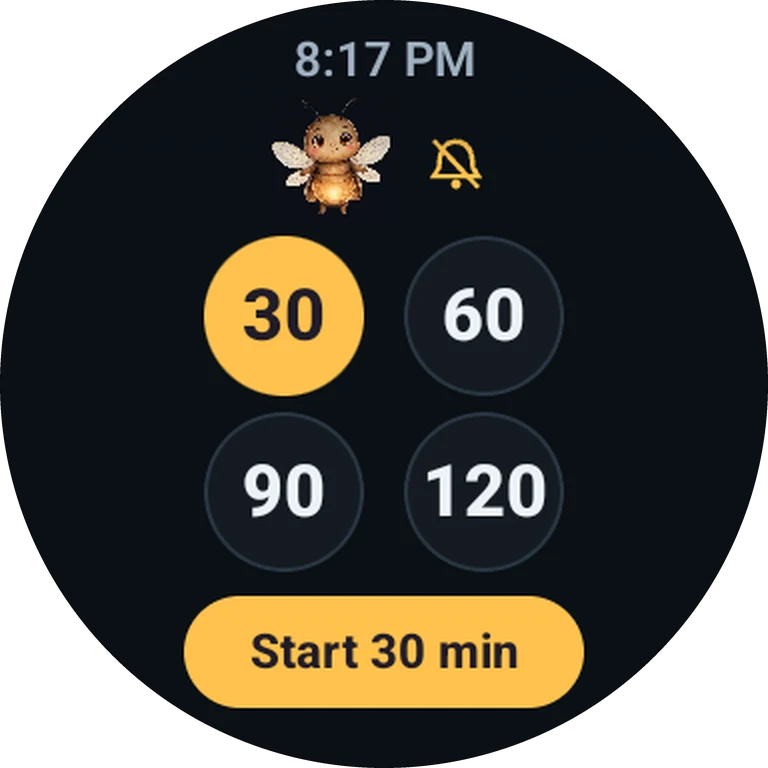
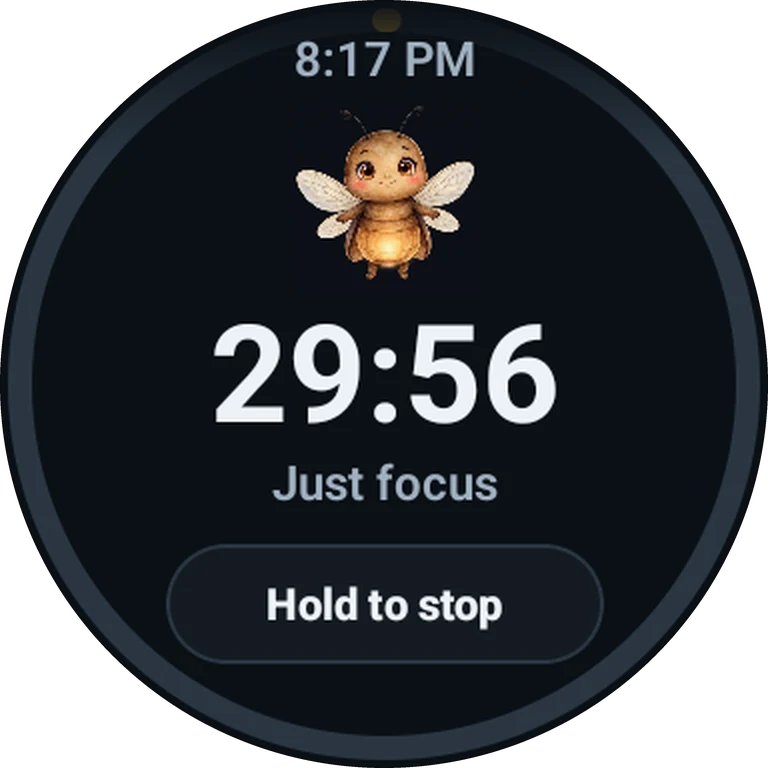
Leave the phone in another room. Breakdoom on your Wear OS watch is a standalone focus timer with Lumen, so the session runs even when the phone is out of reach.
When the pull is strong, breathe in and out with Lumen for a minute. It is in the tab bar and on the pause screen.
Breakdoom does not use the internet. What you block and what you finish stays on your phone, and you can delete all of it in Settings.
Android's accessibility service tells Breakdoom which app just opened: the app's package name, nothing else. When it is a blocked app, Breakdoom shows its own pause screen over it.
No screen text, messages, passwords or content. Accessibility is optional: with it off, Breakdoom falls back to Android's usage history, which is slower but still works.
If you have ADHD, you already know the hard part is not knowing what to do. It is the pull of the next tap. Breakdoom does not treat anything, but the way it works fits how distraction actually feels.
Pick what you are doing before you start, then watch a ring fill instead of staring at digits. One Glow lands every minute, so the reward is now, not at the end of the week.
Open a blocked app on autopilot and Lumen shows up with your tries count. One breath to choose: back to focus, sixty seconds of Breathe, or a quick look that costs Glow.
Miss a day and nothing breaks. Notifications go quiet during a session, and the next one starts fresh. Short wins count as much as long ones.
Breakdoom is not a medical device and does not diagnose, treat or cure ADHD or any other condition. Use it alongside, not instead of, care from a professional.
Teens push back on blocks someone else sets. Breakdoom flips it: they choose the apps, the time and the mode, and the receipt shows the minutes they really kept. That is how good habits stick: by making the choice themselves, again and again.
No parent dashboard, no remote monitoring and no live feed. Your teen sets their own blocks; a PIN, if you set one, guards only the plan and billing.
Opening a blocked app mid-session shows how many times they have tried. In Normal mode an unlock costs 5 Glow, so giving in has a price. In Exam mode there is no way out until the timer ends.
Share my week turns seven days into one image: sessions, minutes off their apps, Glow earned. Never which apps, what they read or where they are. It leaves the phone only when they send it.
Auto-renews until canceled in Google Play
It pauses them. When a blocked app opens during a session, Breakdoom shows its own pause screen over it. The app keeps running underneath; Breakdoom cannot close, force-quit or uninstall other apps.
Only the name of the app that just opened, and Android's own screen-time totals for the Week view. It never reads what is on your screen, and nothing leaves your phone unless you share it.
No. There is no sign-up, no sync, no ads and no analytics. Breakdoom does not use the internet.
In Normal mode, an unlock costs 5 Glow, and those minutes never earn Glow. In Exam mode there are no unlocks and no ending early, so pick it only when you mean it.
With your permission, a session turns on Do Not Disturb (alarms still ring) and switches it back when you finish. The optional Quiet during focus also holds notifications from your blocked apps until the session ends. Nothing is deleted.
Breakdoom is not a treatment and makes no medical claims. Some of how it works may suit you if focus is hard: Glow every minute instead of a far-off reward, a pause screen before a blocked app opens, quiet notifications during a session, and no streaks to lose. If you are being treated for ADHD, keep following your clinician's advice.
No. Android only tells Breakdoom which app is open, so it can pause a browser, not a single site or video inside it.
No. You set your own blocks and your own sessions. There is no parent dashboard, no remote monitoring and no live feed. If a parent wants to see how the week went, you can send them Share my week. A PIN, if you set one, guards only plan and billing.
Yes, on Wear OS 3 and newer. The watch app is a standalone focus timer: pick 30, 60, 90 or 120 minutes and go. Receipts, the week view and your plan stay on the phone, and finished watch sessions are added there when the two reconnect.
Not yet. Breakdoom is starting on Android. Email us if you want to hear when that changes.
Yes, any time in Google Play. The plan renews yearly until you cancel, and the block itself stays free either way.
Android beta invites go out in small waves. Tell us your phone and we will send one thing: the invite.
Android 8.0+Ages 13+No newsletter